Featured Case Study
Live Build · Full-Stack Product · Active Iteration
Personal OS
An energy-aware life management platform that helps people decide what is realistic today, keep meaningful context connected, and turn scattered routines into one grounded system.
Personal OS began as a research-backed product thesis: calendars, task managers, journals, food planners, and project trackers all hold useful pieces of life, but they rarely talk to each other. I designed and built this app to test a different idea — a private operating layer for daily decisions, long-term memory, and real human energy.
My Role
Product designer, UX strategist, front-end developer, and system architect. I shaped the concept, information architecture, feature logic, interface patterns, and implementation plan.
Product Scope
A live React and TypeScript application spanning Dashboard, Today, tasks, projects, goals, calendar, journaling, meals, grocery planning, experiences, maps, notifications, onboarding, and shared spaces.
Professional Value
Demonstrates full-stack product thinking: turning research into architecture, hardening an existing build, and making complex personal workflows feel understandable and usable.
Product Thesis
Most planning tools ask “what is due?” Personal OS asks “what is realistic today?”
The core idea behind Personal OS is that productivity is not just a list problem. It is an energy, context, memory, relationship, and decision-fatigue problem. A task manager can track what needs to happen, but it usually does not know whether a task is emotionally heavy, whether the user has enough energy for it, whether it belongs to a bigger project, or whether a smaller next step would be more useful.
Personal OS connects daily planning with the rest of life: projects, tasks, meals, calendar events, date nights, experiences, journal entries, places, goals, shared spaces, and system notifications. The app is designed to reduce the number of decisions a user has to make from scratch every time they open it.
Problem
Life data is usually fragmented.
People often manage life through disconnected tools: one app for calendars, another for tasks, another for notes, another for meals, another for reminders, and another for personal reflection. That fragmentation creates a second hidden job: mentally stitching all of it together.
Calendar knows when.
Tasks know what.
Journal knows why.
Meals know what worked.
Projects know the bigger direction.
Personal OS connects the context.
Solution
A grounded dashboard plus connected life objects.
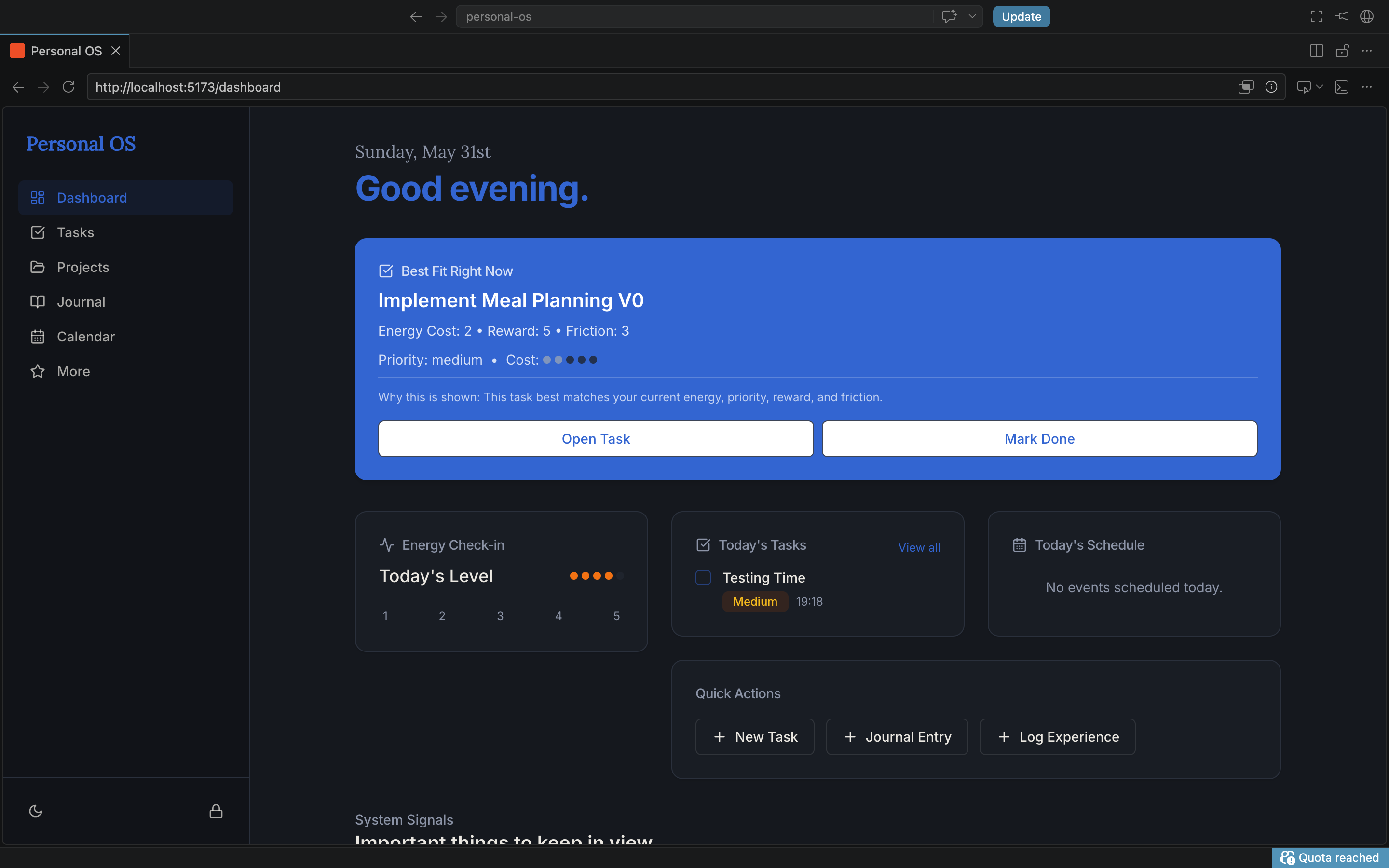
The app’s strongest loop is built around a simple question: what is realistic and useful right now? The Dashboard and Today views surface focus recommendations, energy check-ins, action paths, pressure indicators, meals, wins, notifications, and system signals so the user gets direction instead of another giant list.
Underneath that interface is an object-based structure: tasks can link to projects and goals, meals can become grocery items and preference data, experiences can connect to places and people, and shared spaces can coordinate life with another person without flattening everything into one calendar.
Current Build
What Personal OS includes now.
Dashboard and Today Flow
Focus recommendations, daily energy check-in, action paths, pressure signals, wins, meals, and realistic next-step guidance.
Energy-Aware Tasks
Task states, priorities, estimated minutes, scheduling, energy/reward/friction framing, and filters for today, overdue, scheduled, high priority, and more.
Projects and Goals
Project health, active task counts, progress, stale project signals, goal details, and dashboard resurfacing for work that needs attention.
Calendar-Aware Planning
Day, week, and month views that surface scheduled tasks and events, including stronger routing and visibility for calendar-linked items.
Structured Journaling
Freeform writing, templates, custom fields, project/task connections, and reflection patterns that keep memory tied to action.
Meals and Grocery Planning
Planned meals, grocery lists, food preferences, reminders, and the beginning of a loop where meals become reusable knowledge.
Experiences and Places
Experience logs, date night planning, reviews, locations, and Google Maps actions for pins, directions, and place-based planning.
Shared Spaces
A collaboration layer for shared projects, tasks, goals, experiences, calendars, and future household planning workflows.
Notifications and Trust Layer
Notification counts, routing, onboarding improvements, security/privacy positioning, and stronger Supabase-backed hardening.
Preference Payoff
The early recommendation layer that helps the app explain why something is being surfaced and how past choices can inform future ones.
System Architecture
Designed as a network, not a pile of pages.
Input Layer
Tasks, check-ins, journal entries, meals, reviews, projects, places, dates, and goals.
Relationship Layer
Objects connect across modules so a task can belong to a project, an experience can link to a place, and a meal can inform future suggestions.
Decision Layer
Focus cards, system signals, energy fit, pressure, reward value, and preference payoff help the app recommend what matters next.
Collaboration Layer
Shared spaces extend the system beyond one user so calendars, projects, experiences, and planning can become coordinated.
Visual Showcase
Personal OS screens and flows.
These screens show the current portfolio-ready build and the range of workflows already represented in the product.
Dashboard Overview
The command center: focus recommendations, signals, daily context, and clear next actions.
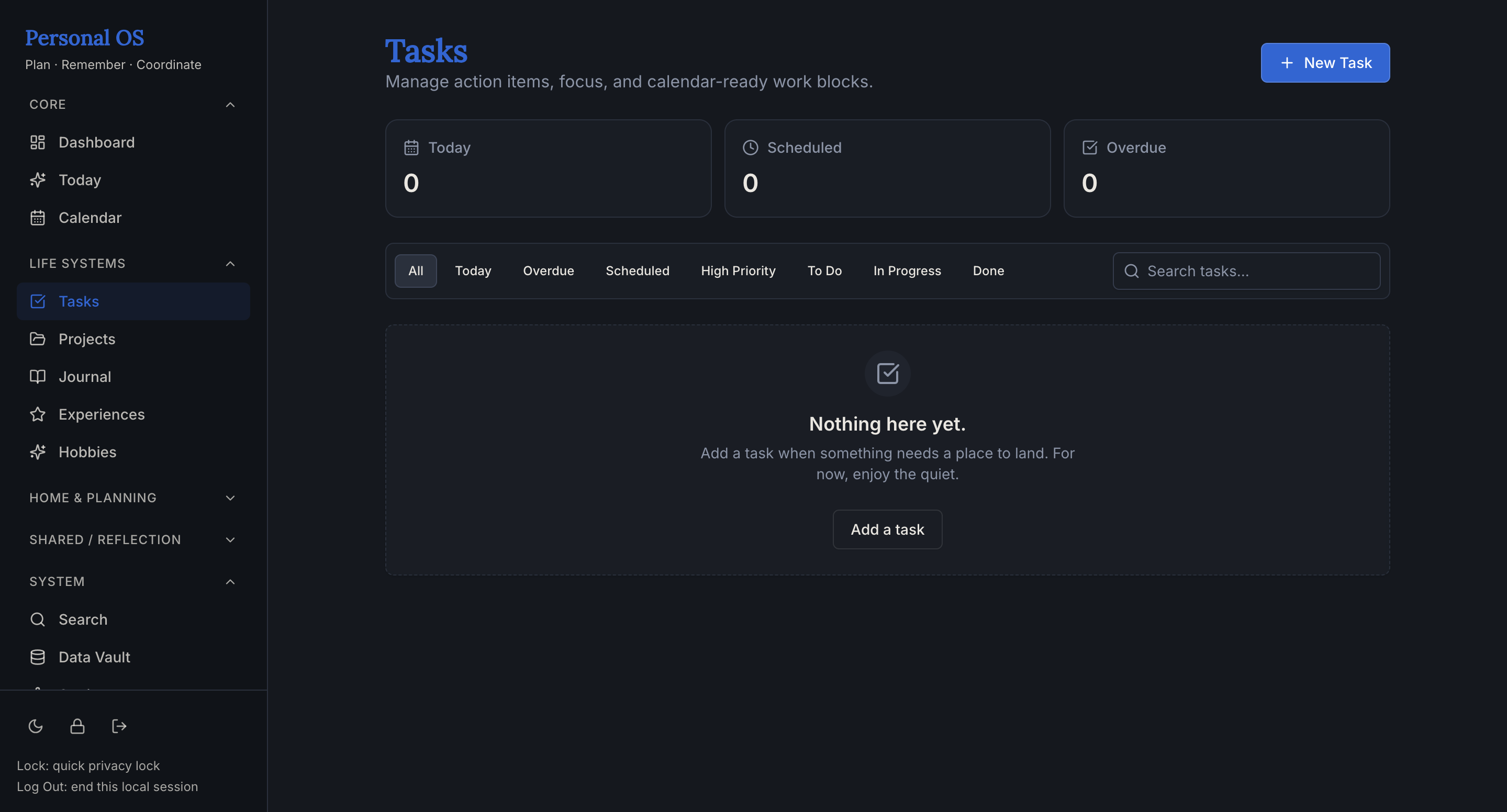
Task Management
Task states, filters, scheduling, energy-aware metadata, and action-oriented planning.
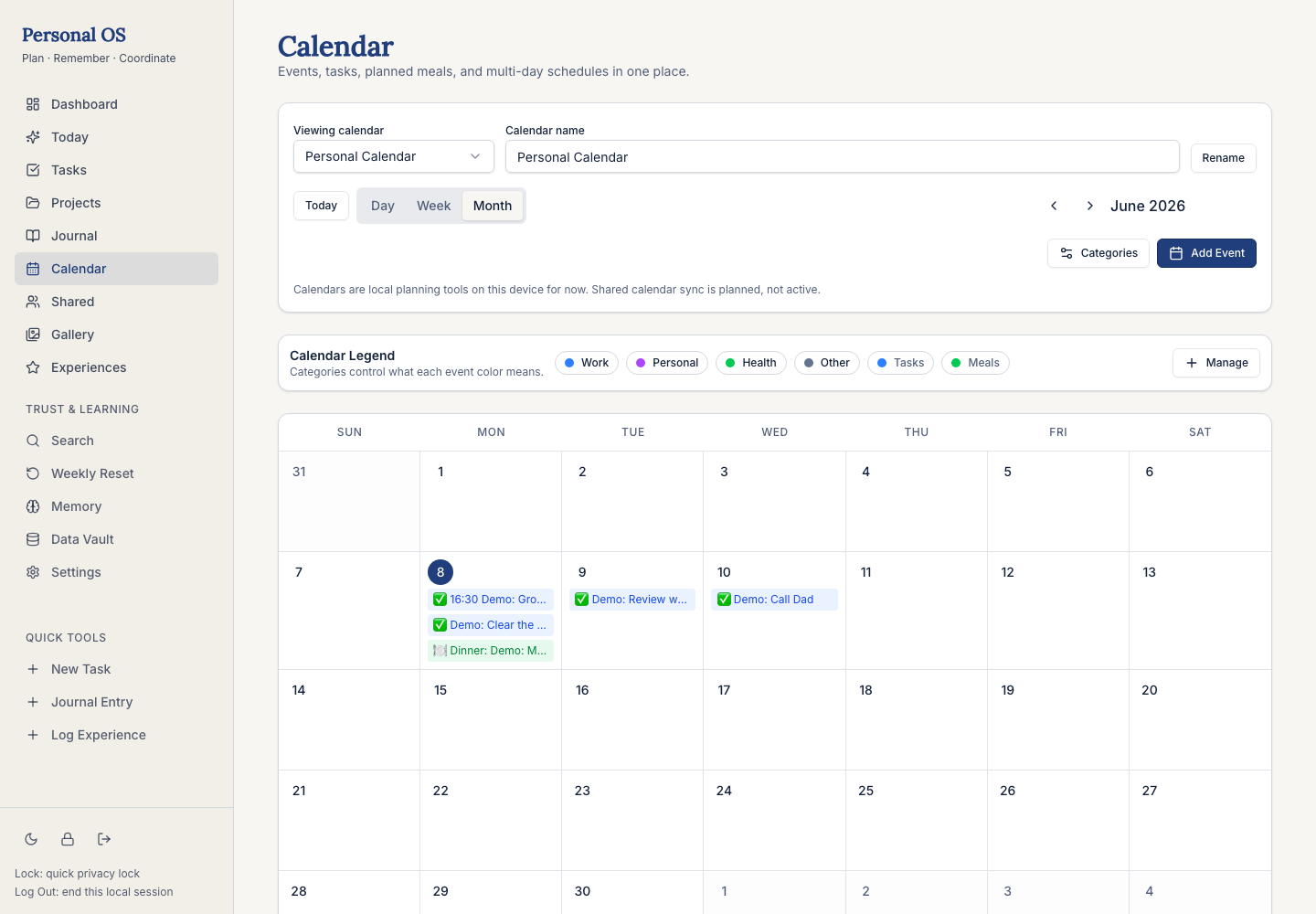
Calendar Views
Calendar planning that treats tasks, events, meals, and deadlines as part of the same day.
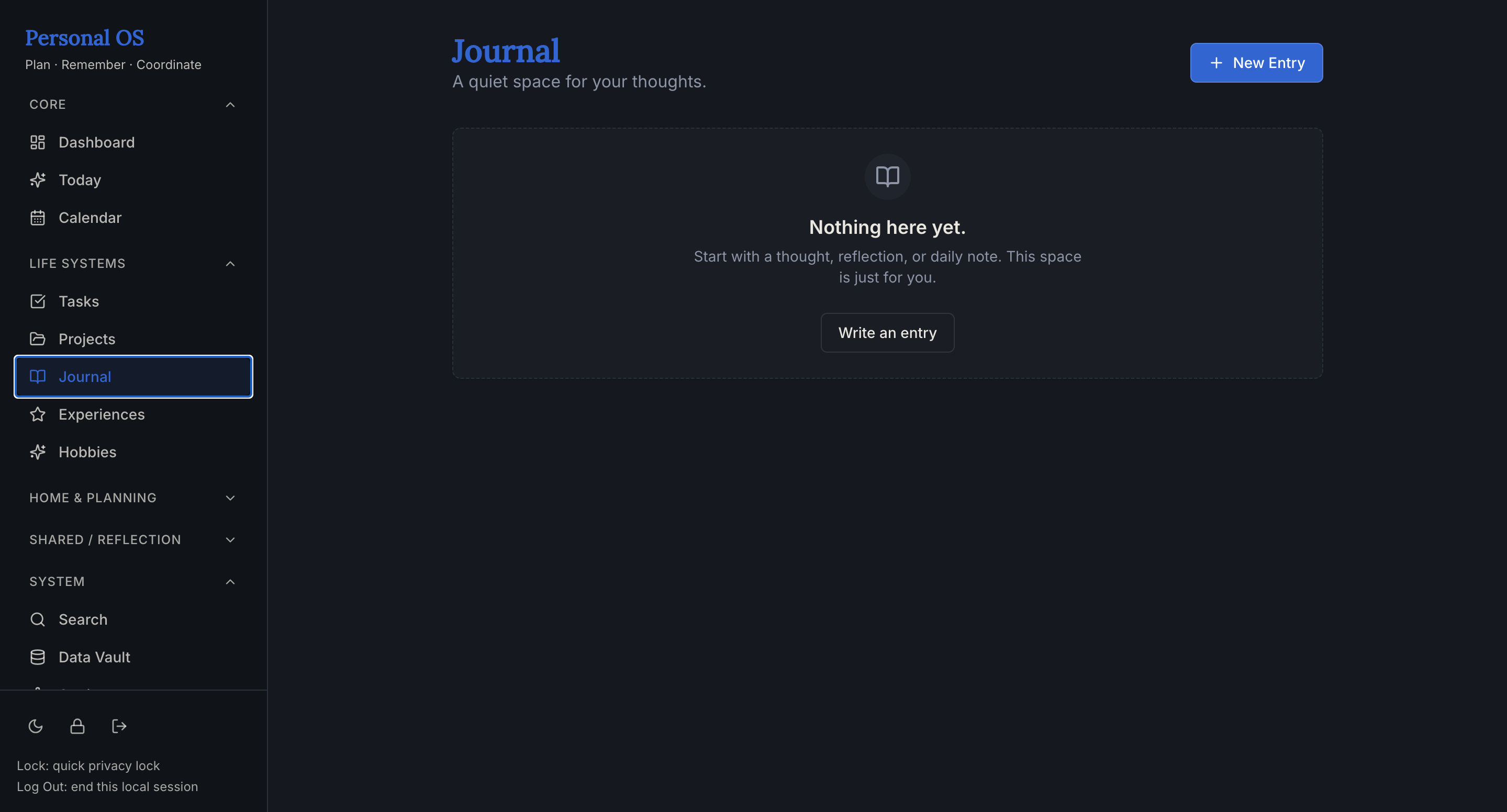
Structured Journaling
Reflection that can stay freeform or become structured with custom fields and templates.
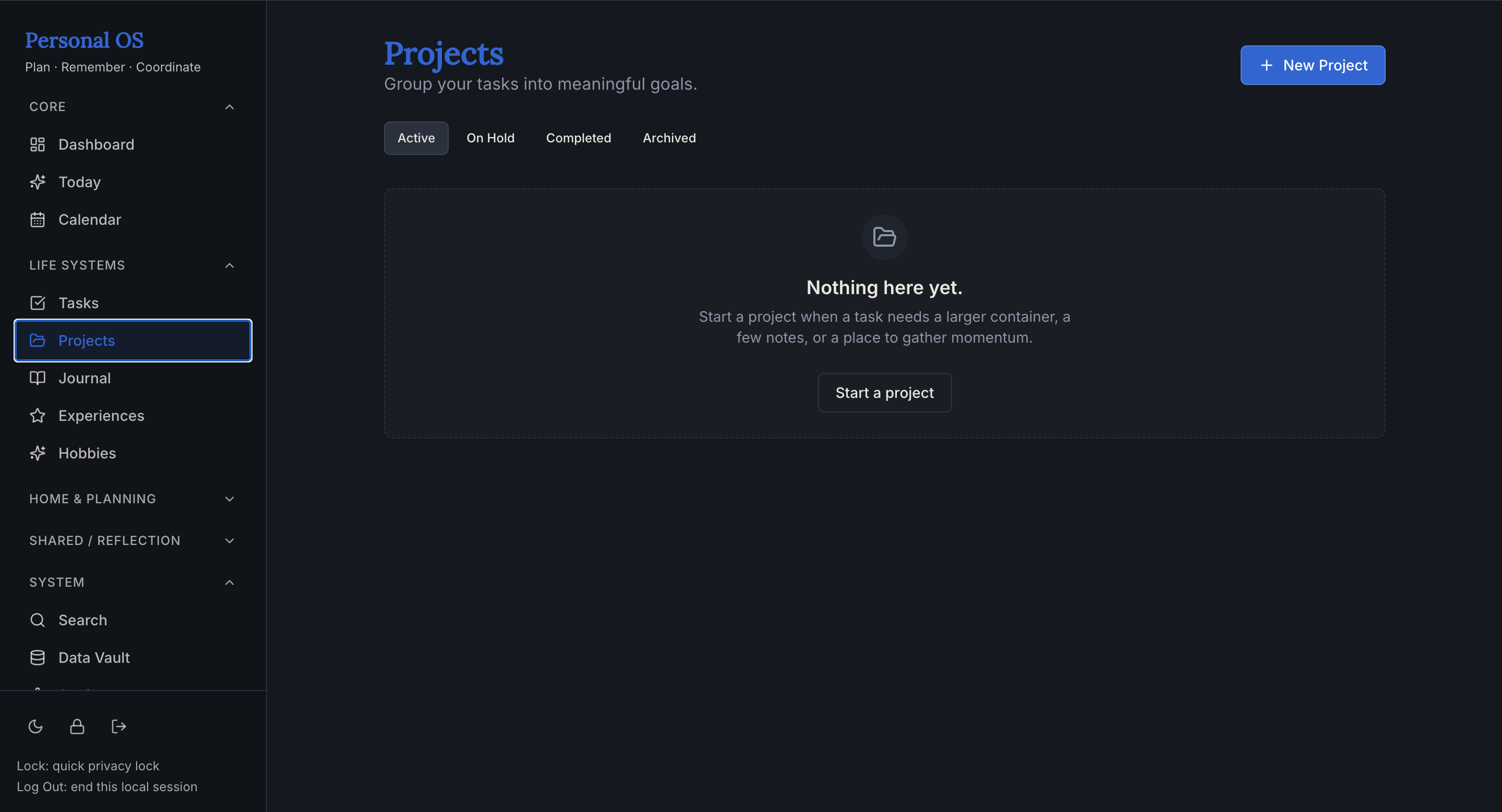
Project Tracking
Project health, progress, active tasks, and stale signals keep long-term work from disappearing.
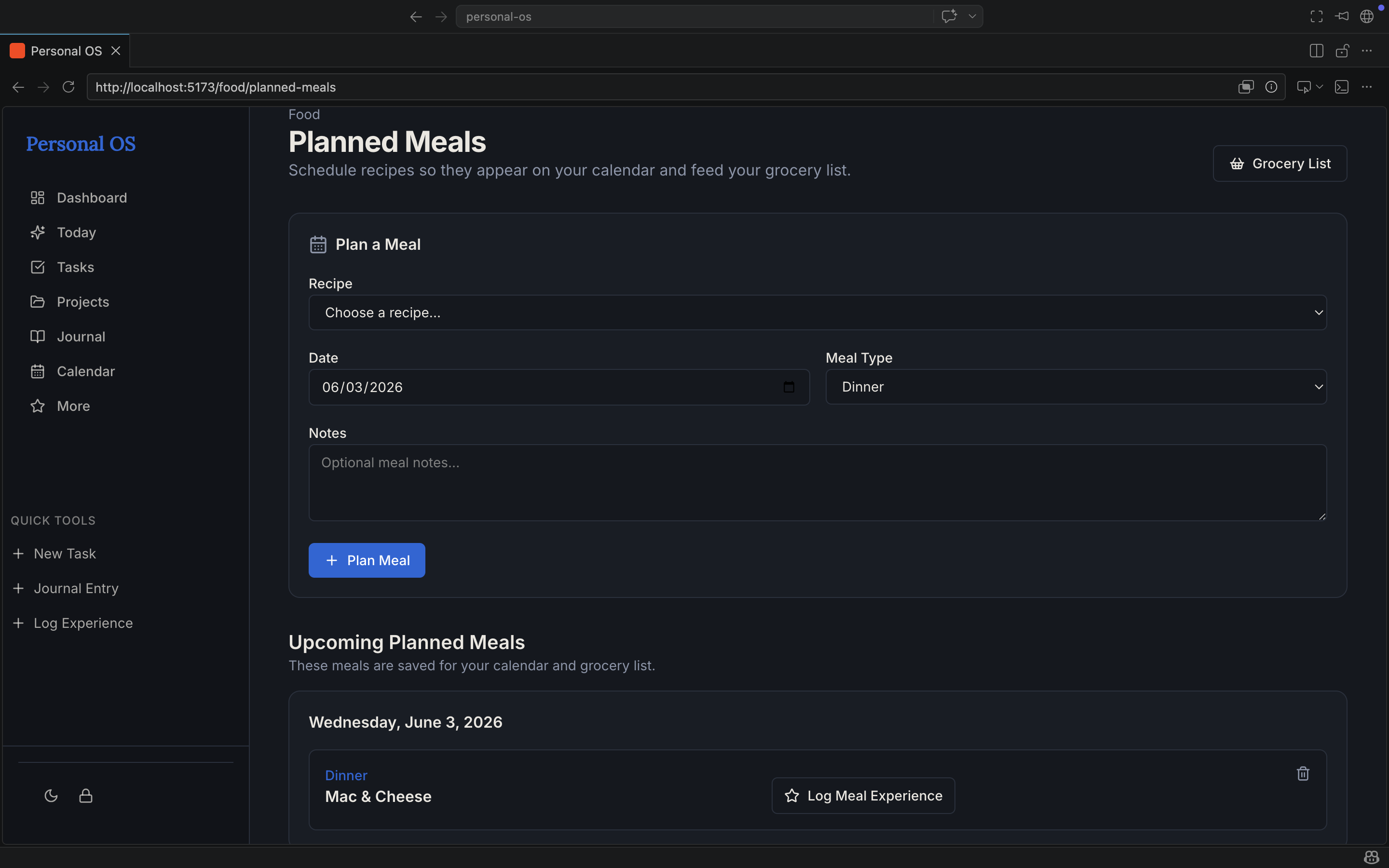
Food Planning
Meals become part of the daily plan instead of living in a separate food-planning silo.
Additional Screens
Life-management tools inside the system.
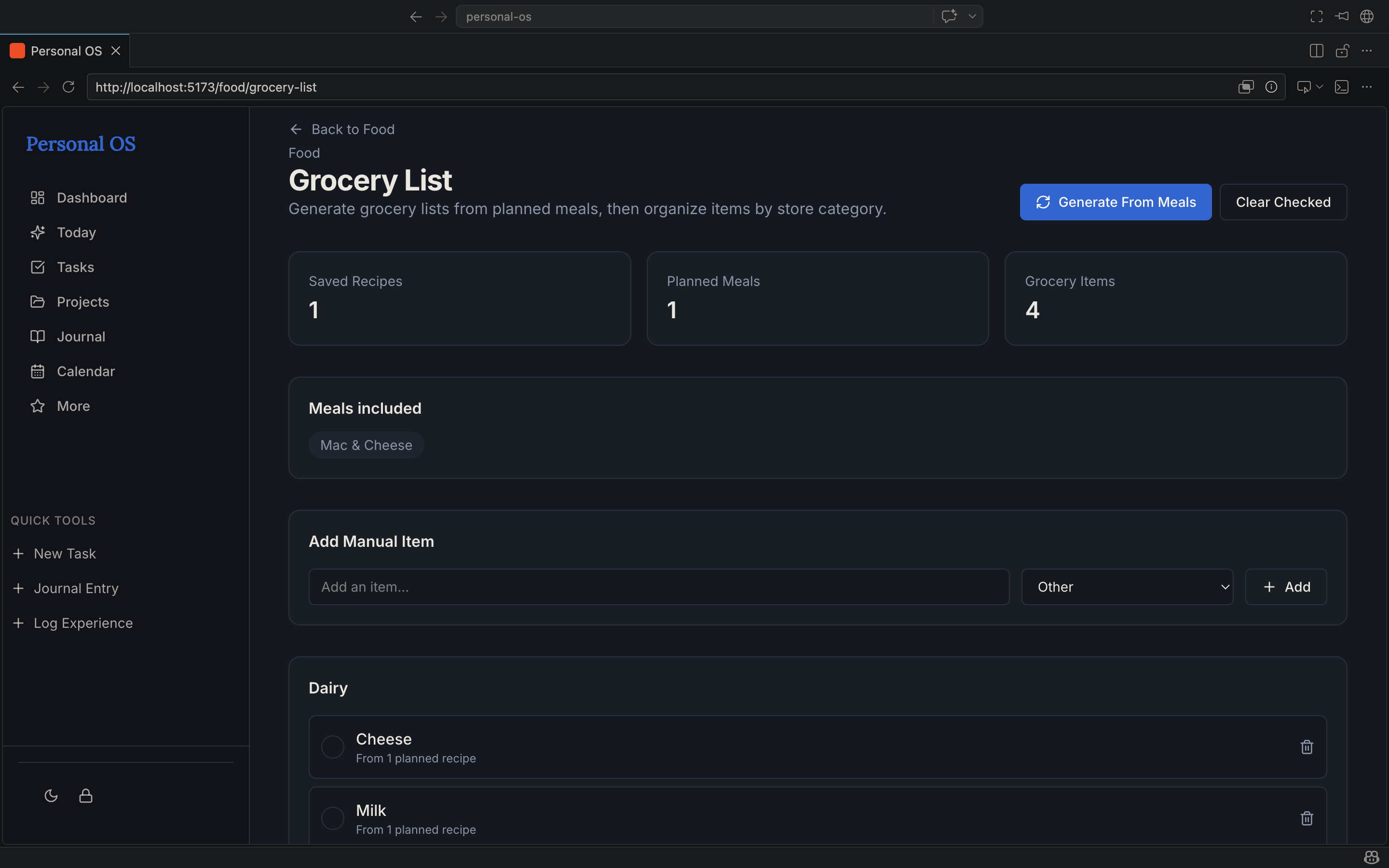
Grocery List
Grocery planning turns meal decisions into practical next actions.
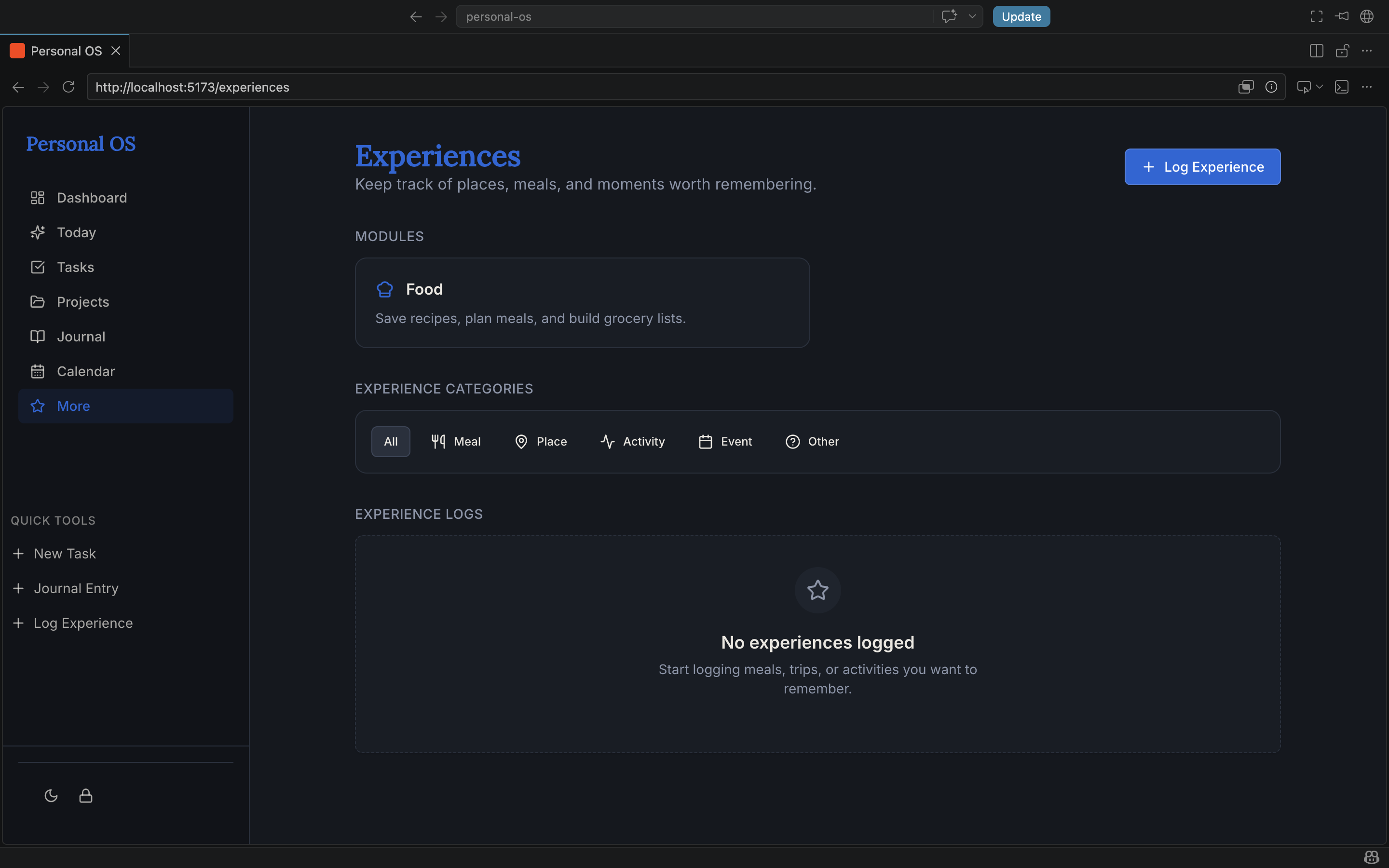
Experiences
Experience tracking creates the foundation for memory, reviews, and future recommendations.
Design and UX Thinking
Making a complex system feel calm.
Personal OS has a lot of surface area, so the UX challenge was not simply adding features. The challenge was deciding what should appear first, what should stay tucked into detail views, and how to help the user take action without feeling managed by the app.
The design direction is warm, private, and practical: dashboard-first, signal-driven, mobile-readable, and lightly playful without becoming childish or clinical. The interface is meant to give the user a clear path while keeping every recommendation editable.
Technical Highlights
How the build is structured.
React / TypeScript
A typed front end supports safer iteration, clearer feature boundaries, and more maintainable routing.
Supabase Foundation
Database-backed workflows, user data, shared spaces, notification routing, and trust/security improvements build on the existing backend.
Component Architecture
Reusable cards, list patterns, dashboard modules, location actions, and detail views keep the interface modular.
Energy-Aware Logic
Energy, reward, friction, pressure, and preference payoff give the recommendation engine a human-centered foundation.
Calendar-Aware Rendering
Scheduled tasks and events surface across dashboard, Today, and calendar views instead of living in disconnected pages.
Google Maps Integration
Location actions help planning modules connect to real-world places through pins, maps, and directions.
Shared Spaces Model
Collaboration is being built as a reusable foundation for projects, tasks, goals, calendars, experiences, and household planning.
Hardening Over Expansion
Recent work focuses on strengthening existing systems instead of adding disconnected features, making the product more reliable and grounded.
Try It Live
Explore the build for yourself.
The live Personal OS build is available as a public showcase. Visitors can move through the dashboard, inspect the modules, and see how the product connects daily planning with longer-term systems.
What I Learned
Building a product is different from building a feature list.
Product Judgment
I learned how to choose between adding more features and hardening the systems that make the product feel trustworthy.
Systems Thinking
I practiced designing relationships between objects instead of treating every module as a separate page.
UX Prioritization
I learned how much the first fold matters, especially when the product is supposed to reduce decision fatigue quickly.
Next Phase
Hardening the system that already exists.
Reliability
Recommendation Engine v2
Make energy-aware suggestions more consistent across Dashboard, Today, tasks, meals, and shared planning surfaces.
Polish
Mobile and First-Fold UX
Improve small-screen prioritization so energy check-ins, action paths, and decision support appear earlier.
Foundation
Build, Data, and Visibility
Address the large Vite build, strengthen Supabase data paths, expand documentation, and keep the public showcase aligned with the real product.
Why This Project Matters
Personal OS is my strongest proof that I can think like a product designer and build like a developer. It shows research, architecture, UX judgment, full-stack implementation, iteration, debugging, and the ability to turn a messy real-life problem into a coherent product system.